-
Download Airfoil Speakers Touch
Airfoil Speakers Touch
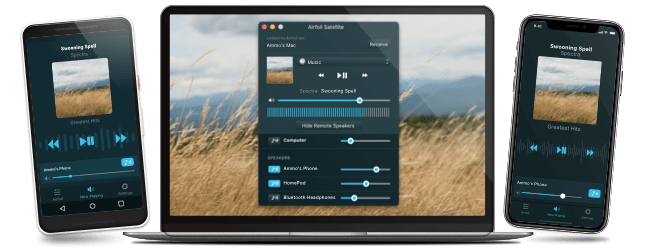
Airfoil Speakers Touch runs on iPhones and iPods Touch running iPhone OS 2.1 or higher. Use it to send audio to your device when connected to your local network! Airfoil Speakers Touch works exclusively with Airfoil for Mac and Airfoil for Windows. Get more details or see it in action.
-
Download Airfoil Speakers for Mac
Airfoil Speakers for Mac
Run Airfoil Speakers for Mac on any machine with Mac OS X 10.5 or higher and Airfoil will be able to send any audio to it. Airfoil Speakers for Mac works exclusively with Airfoil for Mac and Airfoil for Windows. See it in action.
-
Download Airfoil Speakers for Windows
Airfoil Speakers for Windows
Run Airfoil Speakers for Windows on your Windows XP or Vista machine, and Airfoil will be able to send any audio to it. Airfoil Speakers for Windows works exclusively with Airfoil for Mac and Airfoil for Windows. See it in action.
-
Download Airfoil Speakers for Linux
Airfoil Speakers for Linux
Airfoil Speakers for Linux runs on any version of Linux with Mono 1.2.6 or higher, enabling Airfoil to send any audio to it. Airfoil Speakers for Linux works exclusively with Airfoil for Mac and Airfoil for Windows. See it in action.
-
Buy an AirPort Express AppleTV
AirPort Express
With Apple's AirPort Express wireless router, you can send audio wirelessly to a connected stereo. The AirPort Express can receive audio from both iTunes and Airfoil.
-
Buy an AppleTV
Apple TV
Helping you watch digital video on your TV isn't all the Apple TV can do - it also works as a remote speaker for audio. The Apple TV can receive audio from both iTunes and Airfoil.