
 Airfoil
 Audio Hijack
 Farrago
 Fission
 Loopback
 Piezo
Piezo
 SoundSource
Copyright © Rogue Amoeba Software, Inc. All rights reserved.
 Printable Manual


Loopback's settings can be accessed from the Loopback menu.
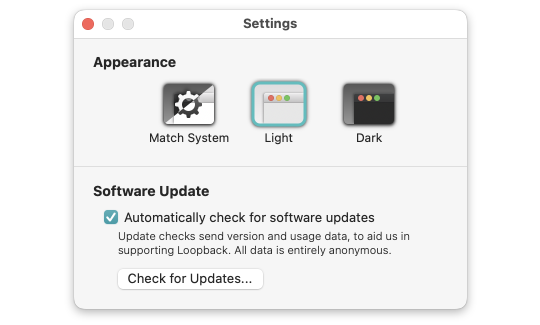
Loopback's Settings window
Theme Selector: This setting dictates how Loopback will appear. The Light theme is designed for everyday use, while the Dark theme is perfect for use in darkened spaces like studios and theaters.
The default Match System setting follows the OS-wide Appearance setting for Light or Dark Mode. You can alternately force Loopback to use the Light or Dark theme, regardless of your system-wide settings.
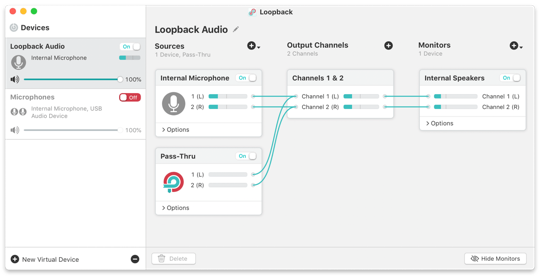
Loopback's Light theme
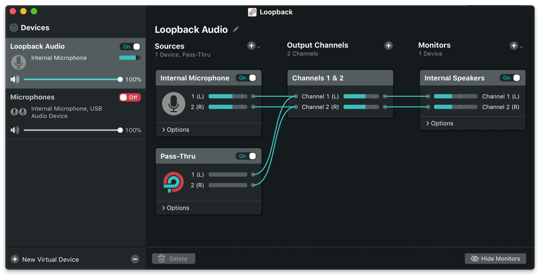
Loopback's Dark theme
While this manual uses the Light theme throughout, you can easily try either theme. Loopback will update immediately when you adjust this setting.
Automatically check for software updates: With this option activated, Loopback periodically compares itself to the most current version available from our server and alerts you when a new version is available. Leave this on and Loopback will help you stay up-to-date. You can also select Check for Update from the Loopback menu to initiate a check manually.
To initiate a check manually, click the Check for Updates… button.
← PreviousNext →Notes on Pass-ThruPermissions